Introduction
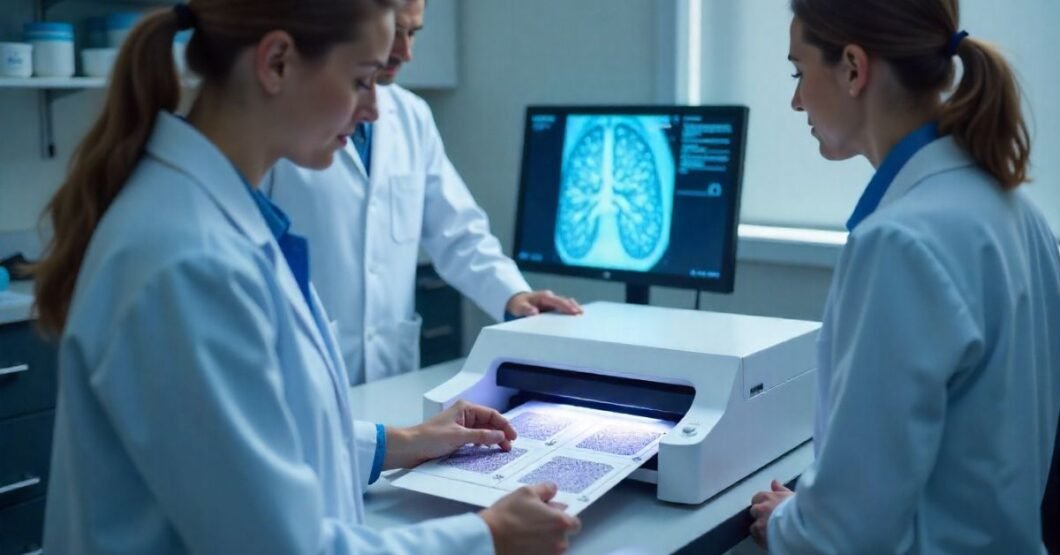
The demand for high-precision, high-throughput digital pathology is growing rapidly as clinical laboratories, research institutions, and pharmaceutical companies accelerate their shift to digitised workflows. At the heart of this transformation are systems like the Olympus scan platform, recognised for their exceptional optical performance and reliability.
Designed specifically for slide scanning, Olympus’ optical systems support applications where accurate, detailed imaging is critical—across histology, cytology, and research microscopy. In this guide, we’ll explore the evolution, strengths, and considerations of Olympus slide scanning systems, diving deep into how and why they meet the modern demands of digital pathology.
Whether you’re evaluating a digital pathology transition or are a lab manager looking to upgrade your imaging capabilities, this article offers real-world insights, technical comparisons, visuals, and everything you need to make an informed decision.
History and Legacy of Olympus in Optical Imaging
Olympus Corporation, founded in 1919, has consistently led the advancement of optics and precision imaging. Best known for breakthroughs in microscopy, Olympus set early benchmarks in lens design, pathological imaging, and digital slide scanning.
Their transition into whole-slide imaging (WSI) began as laboratories sought to digitise glass slides for easier sharing, storage, and analysis. Olympus’ systems quickly emerged as trusted tools in diagnostics and research settings.
Strengths of Olympus’ Legacy in Optical Imaging:
- Nikon-grade optical clarity with streamlined usability
- Strong global presence and service infrastructure
- Decades of OEM microscope manufacturing
The company has restructured under EVIDENT (as of 2021) to focus primarily on life science imaging technologies, ensuring specialised support for medical and biological markets.
Purpose-Built Optical Systems for Slide Scanning
Not all digital scanner optics are created equal. Olympus’ system is explicitly designed with slide imaging in mind—not adapted from photography or generic optics. The Olympus scan ecosystem utilises a fully integrated optical path optimised for clarity, colour fidelity, and tissue differentiation at the micro level.
Key Features of Olympus Optical Systems:
- Plan Apo Objectives: Designed to reduce spherical aberration and chromatic distortion
- Dedicated Illumination Systems: For consistent white balance cell-to-cell
- High NA Lenses (Numerical Aperture): Enables detailed observation without artefacts
This optical design allows Olympus systems to capture high-resolution images with minimal stitching errors, making them suitable for pathology reports, peer-reviewed publications, and AI training datasets.
Microscope vs Slide Scanner—What’s the Difference?
Many entry-level users assume automated microscopes and slide scanners are interchangeable—they are not. While both can image biological samples, their design purpose and end-use differ significantly.
| Feature | Automated Microscope | Slide Scanner (Olympus VS200) |
| Imaging Purpose | Interactive, exploratory | High-volume scanning, archiving |
| Throughput | Low | High – up to 100s of slides |
| Automation | Partial | Full w/ barcode integration |
| Focal Versatility | Manual or semi-auto Z-stacking | Automated Z-stack & stitching |
| Image Size | MBs | GBs (Whole Slide Images) |
Slide scanners like those in Olympus’ portfolio are engineered for workflow efficiency, quality control, and digital pathology—not real-time microscope examination.
Olympus VS200: A Benchmarked Innovation
The Olympus VS200 is the flagship whole slide imaging system that has gained industry-wide adoption for its performance, flexibility, and image quality. Built for both brightfield and fluorescence scanning, it is suitable across research and diagnostic settings.
VS200 Highlights:
- 5-slide loader to 210-slide autoloader
- Objective magnification from 2x to 100x
- Full compatibility with AI and machine learning tools
- Fluorescence scanning across 6 filter cubes
It also supports multi-modal scanning (e.g., Z-stacking, focus map editing), allowing users to prioritise speed or image quality according to their application.
Editor’s Tip: The VS200 is especially favoured in academic labs where research flexibility is critical but throughput cannot be compromised.
Workflow Integration in Clinical Labs
Introducing digital slide scanning into established pathology workflows can be disruptive—unless the system is designed for seamless integration. Olympus systems simplify this transition by offering:
- LIS/LIMS compatibility for metadata transfer
- Barcode-based slide identification and tracking
- Minimal calibration downtime thanks to auto-optimisation features
- High parallel throughput: enabling batch scanning overnight
Additionally, Olympus systems are compatible with HL7 interfaces, ensuring compliance with clinical diagnostics IT environments.
Typical Integration Workflow:
- Prepare and stain slides
- Load slides into the feeder
- Scan using preset profiles
- Images auto-upload to secure PACS or DICOM viewer
- Remote pathologist reviews and signs out cases
Data Management and Image Formats
A common challenge in WSI adoption is managing the massive file sizes involved. Olympus addresses this with robust file compression and smart storage options.
File Types & Compression:
- Supports OME-TIFF and VSI file formats
- Integrated JPEG2000 compression for fine balance between quality and file size
- Image Pyramid architecture: Zoom-level optimised loading
Moreover, Olympus scan systems natively support export to third-party analysis platforms, including HALO, QuPath, and Visiopharm.
Storage Considerations Table:
| Format | Resolution | Avg. Size per Slide | AI Compatible |
| VSI | Full Res | ~1.5–3 GB | ✅ |
| OME-TIFF | Full Res | ~2–4 GB | ✅ |
| JPEG | Compressed | ~500–800 MB | ❌ (Limited) |
Comparison: Olympus vs Leica vs 3DHISTECH
When selecting a slide scanning system, understanding competitive benchmarks helps refine the decision. Here’s how Olympus stacks up:
| Feature | Olympus VS200 | Leica Aperio GT450 | 3DHISTECH Pannoramic 1000 |
| Optical Quality | Superior Apo optics | Very good | High-end, fluorescence optional |
| Throughput | High (Up to 210 slides) | Very High | Very High |
| Fluorescence | ✅ | Limited | Premium models only |
| Software | In-house or 3rd party | Proprietary (ImageScope) | Proprietary + 3rd party |
| Cost | Mid to High | High | High |
Takeaway: Olympus provides a sweet spot for academic and clinical labs, balancing optical precision with system flexibility and seamless AI integration.
Cost Considerations and ROI
Acquiring a high-end system like the Olympus VS200 is a significant investment but one that often proves cost-effective over time.
Typical Costs:
- Entry Configurations: $60,000–$130,000
- Mid-Range with Fluorescence: $150,000+ (with software licensing)
- Support Plan: Around 10–15% annually
ROI Benefits:
- Saves pathologist time (up to 40% faster case review)
- Enables remote diagnostics and second opinions
- Low equipment maintenance cost due to durable optics
- AI-readiness offers long-term value on future integrations
Data Point: Nature, 2021, reports rapid pathology turnaround times in hospitals that adopted WSI as standard workflow.
Software Ecosystem and AI Readiness
Olympus doesn’t just deliver great hardware—it also ensures software capabilities are top-tier. The VS200 works with Olympus’ OlyVIA viewer and integrates well with:
- OpenSlide (for server-based slide viewing)
- Deep learning models for tumour detection
- Real-time collaboration and web-based slide sharing
Most importantly, images scanned with Olympus systems retain metadata integrity, which is crucial for machine learning.
AI-enabled Pathology Tasks Supported:
- Tumour detection
- Cell counting
- Area segmentation
- Fluorescence co-localisation
Choosing the Right Olympus System for Your Needs
Selecting the right configuration depends on three primary factors: slide volume, imaging modality, and integration needs.
| Use Case | Best Olympus Configuration |
| Routine Histopathology | VS200 Brightfield, 20x lens, 100-slide loader |
| Research Labs | VS200 Multi-modal, 40x & fluorescence objectives |
| AI Model Training | High-res with Z-stack, metadata-rich formats |
| Education | Entry-level configuration, remote sharing enabled |
Each lab should evaluate its current and future workload to ensure scalability.
FAQs
Can Olympus scan systems handle fluorescence imaging?
Yes, the VS200 supports up to 6 fluorescence channels.
Are Olympus scanners regulated for clinical diagnostics?
Yes, several Olympus systems are compliant with IVD standards in multiple regions.
What is the file format used by Olympus scanners?
They primarily use VSI and OME-TIFF, both AI-compatible.
How long does it take to scan a slide at 40x magnification?
Typically 3–5 minutes per slide, depending on complexity.
Can third-party software analyse Olympus images?
Absolutely. Olympus ensures broad compatibility with QuPath, HALO, and others.
Conclusion
Olympus scan systems are purpose-engineered for the rigours of digital pathology, offering best-in-class optics, high-throughput automation, and robust software support. Whether your aim is clinical case review, academic research, or AI-powered diagnostics, Olympus provides a scalable, precise solution that stands out in a competitive market.
If you’re ready to modernise your lab or research imaging pipeline, consider consulting with an Olympus specialist to configure a tailored imaging solution that aligns with your goals.